
![Diamond Vision (NVE and VisualV ReShade Preset) [FiveM]](https://img.gta5-mods.com/q75-w500-h333-cfill/images/csyon-reshade-preset-remake/3cc0b6-Diamond_Banner.png "Diamond Vision (NVE and VisualV ReShade Preset) [FiveM]")



11.073
131
11.073
131
V-Rock - Classic GTA Radio Pack (version 2.0)
this mod now supports both GTAV legacy and GTAV Enhanced.
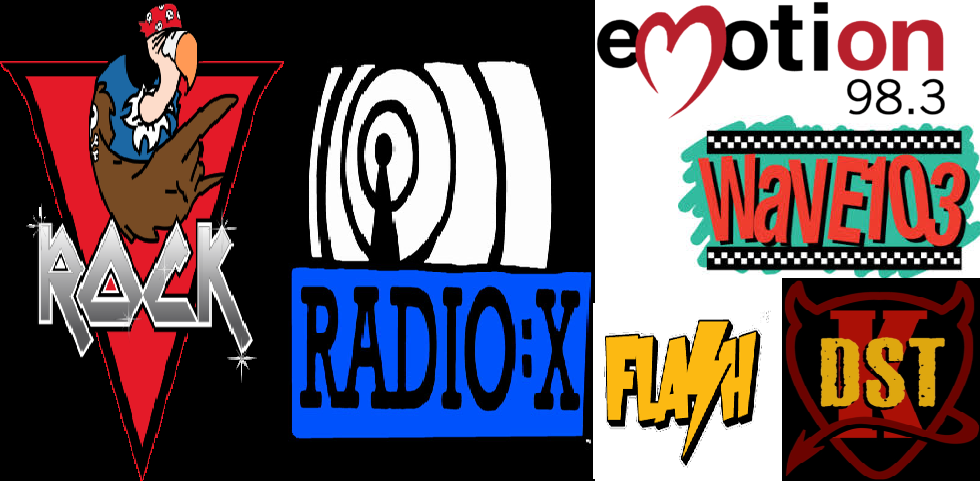
This is a compilation of six radio stations, four from Vice City/Vice City Stories and two from San Andreas
157 songs, over 10 hours of music.
From Vice City and Vice City Stories:
V-Rock, radio station with two playlists, the first is the V-Rock from Vice City with Lazlow,
the second the V-Rock from Vice City Stories with Couzin Ed and "intern" Lazlow.
Wave 103, two playlists, first from Vice City, with Adam First, second from Vice City Stories with Trish Camden and Adam First.
Flash FM, two playlists, first from Vice City with Toni, second from Vice City Stories with Toni and Teri.
Emotion 98.3, two playlists, first from Vice City with Fernando Martinez, second from Vice City Stories with Lionel Makepeace.
From GTA San Andreas:
Radio X, with Sage.
K-DST, with Tommy Smith.
Thanks to the guys from codewalker, and a special thanks to Wildbrick, who answered my stupid questions about all of this, and for
the community radio hud, which this mod is using for the Radio Wheel.
Installation instructions:
No OIV, I personally don't like those, so manual installation.
Pretty easy:
1) Extract dlc.rpf to the game directory in mods\update\x64\dlcpacks\radio_vrock
2) edit mods\update.rpf\common\data\dclist.xml and add: dlcpacks:/radio_vrock/
3) for enhanced put enhanced\hud.gfx and hud.ytd in \mods\update.rpf\x64\data\cdimages\scaleform_gereric.prf
4) for legacy put legacy\hud.gfx and hud.ytd in mods\update.rpf\x64\data\cdimages\scaleform_gereric.prf
5) for enhanced put rpf.cache.disable in root directory.
for legacy you use openiv.asi as usual, and openiv to edit the rpf's
for enhanced you use openrpf.asi and codewalker dev48 to edit the rpf's
If you have more radio mods, it could be that text labels for the songs are not displayed in the radio wheels.
No worries, easily fixed, go to mods\update.rpf\x64\data\lang and open the RPF of your desired language, select trackid.gxt2, and
select export to openformat text file (.oxt), open trackid.oxt in the archive (with notepad for instance) and copy the lines (not the opening and closing brackets
at the top and bottom, then simply copy those into the trackid.oxt you extracted from openiv, and save the file, finally just drag and drop the file back into the
language rpf you extracted the tracklist.gxt2 from.
Trackid's used: 5550-5595 and 2120-2230
this mod now supports both GTAV legacy and GTAV Enhanced.
This is a compilation of six radio stations, four from Vice City/Vice City Stories and two from San Andreas
157 songs, over 10 hours of music.
From Vice City and Vice City Stories:
V-Rock, radio station with two playlists, the first is the V-Rock from Vice City with Lazlow,
the second the V-Rock from Vice City Stories with Couzin Ed and "intern" Lazlow.
Wave 103, two playlists, first from Vice City, with Adam First, second from Vice City Stories with Trish Camden and Adam First.
Flash FM, two playlists, first from Vice City with Toni, second from Vice City Stories with Toni and Teri.
Emotion 98.3, two playlists, first from Vice City with Fernando Martinez, second from Vice City Stories with Lionel Makepeace.
From GTA San Andreas:
Radio X, with Sage.
K-DST, with Tommy Smith.
Thanks to the guys from codewalker, and a special thanks to Wildbrick, who answered my stupid questions about all of this, and for
the community radio hud, which this mod is using for the Radio Wheel.
Installation instructions:
No OIV, I personally don't like those, so manual installation.
Pretty easy:
1) Extract dlc.rpf to the game directory in mods\update\x64\dlcpacks\radio_vrock
2) edit mods\update.rpf\common\data\dclist.xml and add: dlcpacks:/radio_vrock/
3) for enhanced put enhanced\hud.gfx and hud.ytd in \mods\update.rpf\x64\data\cdimages\scaleform_gereric.prf
4) for legacy put legacy\hud.gfx and hud.ytd in mods\update.rpf\x64\data\cdimages\scaleform_gereric.prf
5) for enhanced put rpf.cache.disable in root directory.
for legacy you use openiv.asi as usual, and openiv to edit the rpf's
for enhanced you use openrpf.asi and codewalker dev48 to edit the rpf's
If you have more radio mods, it could be that text labels for the songs are not displayed in the radio wheels.
No worries, easily fixed, go to mods\update.rpf\x64\data\lang and open the RPF of your desired language, select trackid.gxt2, and
select export to openformat text file (.oxt), open trackid.oxt in the archive (with notepad for instance) and copy the lines (not the opening and closing brackets
at the top and bottom, then simply copy those into the trackid.oxt you extracted from openiv, and save the file, finally just drag and drop the file back into the
language rpf you extracted the tracklist.gxt2 from.
Trackid's used: 5550-5595 and 2120-2230
Tải lên lần đầu: 10 Tháng hai, 2019
Cập nhật lần cuối: 04 Tháng sáu, 2025
Last Downloaded: 6 hours ago
All Versions
158 Bình luận
V-Rock - Classic GTA Radio Pack (version 2.0)
this mod now supports both GTAV legacy and GTAV Enhanced.
This is a compilation of six radio stations, four from Vice City/Vice City Stories and two from San Andreas
157 songs, over 10 hours of music.
From Vice City and Vice City Stories:
V-Rock, radio station with two playlists, the first is the V-Rock from Vice City with Lazlow,
the second the V-Rock from Vice City Stories with Couzin Ed and "intern" Lazlow.
Wave 103, two playlists, first from Vice City, with Adam First, second from Vice City Stories with Trish Camden and Adam First.
Flash FM, two playlists, first from Vice City with Toni, second from Vice City Stories with Toni and Teri.
Emotion 98.3, two playlists, first from Vice City with Fernando Martinez, second from Vice City Stories with Lionel Makepeace.
From GTA San Andreas:
Radio X, with Sage.
K-DST, with Tommy Smith.
Thanks to the guys from codewalker, and a special thanks to Wildbrick, who answered my stupid questions about all of this, and for
the community radio hud, which this mod is using for the Radio Wheel.
Installation instructions:
No OIV, I personally don't like those, so manual installation.
Pretty easy:
1) Extract dlc.rpf to the game directory in mods\update\x64\dlcpacks\radio_vrock
2) edit mods\update.rpf\common\data\dclist.xml and add: dlcpacks:/radio_vrock/
3) for enhanced put enhanced\hud.gfx and hud.ytd in \mods\update.rpf\x64\data\cdimages\scaleform_gereric.prf
4) for legacy put legacy\hud.gfx and hud.ytd in mods\update.rpf\x64\data\cdimages\scaleform_gereric.prf
5) for enhanced put rpf.cache.disable in root directory.
for legacy you use openiv.asi as usual, and openiv to edit the rpf's
for enhanced you use openrpf.asi and codewalker dev48 to edit the rpf's
If you have more radio mods, it could be that text labels for the songs are not displayed in the radio wheels.
No worries, easily fixed, go to mods\update.rpf\x64\data\lang and open the RPF of your desired language, select trackid.gxt2, and
select export to openformat text file (.oxt), open trackid.oxt in the archive (with notepad for instance) and copy the lines (not the opening and closing brackets
at the top and bottom, then simply copy those into the trackid.oxt you extracted from openiv, and save the file, finally just drag and drop the file back into the
language rpf you extracted the tracklist.gxt2 from.
Trackid's used: 5550-5595 and 2120-2230
this mod now supports both GTAV legacy and GTAV Enhanced.
This is a compilation of six radio stations, four from Vice City/Vice City Stories and two from San Andreas
157 songs, over 10 hours of music.
From Vice City and Vice City Stories:
V-Rock, radio station with two playlists, the first is the V-Rock from Vice City with Lazlow,
the second the V-Rock from Vice City Stories with Couzin Ed and "intern" Lazlow.
Wave 103, two playlists, first from Vice City, with Adam First, second from Vice City Stories with Trish Camden and Adam First.
Flash FM, two playlists, first from Vice City with Toni, second from Vice City Stories with Toni and Teri.
Emotion 98.3, two playlists, first from Vice City with Fernando Martinez, second from Vice City Stories with Lionel Makepeace.
From GTA San Andreas:
Radio X, with Sage.
K-DST, with Tommy Smith.
Thanks to the guys from codewalker, and a special thanks to Wildbrick, who answered my stupid questions about all of this, and for
the community radio hud, which this mod is using for the Radio Wheel.
Installation instructions:
No OIV, I personally don't like those, so manual installation.
Pretty easy:
1) Extract dlc.rpf to the game directory in mods\update\x64\dlcpacks\radio_vrock
2) edit mods\update.rpf\common\data\dclist.xml and add: dlcpacks:/radio_vrock/
3) for enhanced put enhanced\hud.gfx and hud.ytd in \mods\update.rpf\x64\data\cdimages\scaleform_gereric.prf
4) for legacy put legacy\hud.gfx and hud.ytd in mods\update.rpf\x64\data\cdimages\scaleform_gereric.prf
5) for enhanced put rpf.cache.disable in root directory.
for legacy you use openiv.asi as usual, and openiv to edit the rpf's
for enhanced you use openrpf.asi and codewalker dev48 to edit the rpf's
If you have more radio mods, it could be that text labels for the songs are not displayed in the radio wheels.
No worries, easily fixed, go to mods\update.rpf\x64\data\lang and open the RPF of your desired language, select trackid.gxt2, and
select export to openformat text file (.oxt), open trackid.oxt in the archive (with notepad for instance) and copy the lines (not the opening and closing brackets
at the top and bottom, then simply copy those into the trackid.oxt you extracted from openiv, and save the file, finally just drag and drop the file back into the
language rpf you extracted the tracklist.gxt2 from.
Trackid's used: 5550-5595 and 2120-2230
Tải lên lần đầu: 10 Tháng hai, 2019
Cập nhật lần cuối: 04 Tháng sáu, 2025
Last Downloaded: 6 hours ago
 5mods on Discord

also you need an empty text file called rpf.cache.disable in the root directory of the enhanced edition of the game.
@sjaak327
Thanks buddy, Is it possible you could add a "proper" Liberty Rock Radio?
All other releases have missing songs and broken or no trackID
this makes my game crash
@JamesM118 doesn't over here. you are doing something wrong.
@sjaak327 I've copied the readme for this installation and it makes my game crash too.
@sjaak327 Hi developer, could you please update this mod for the latest enhanced version of GTA V? Man, the in-game radio stations are just awful without it. This mod definitely makes the gameplay experience so much more fun and engaging. Please!
@igormenezs this mod works on enhanced. providing you follow the instructions as they are slightly different from legacy.
@sjaak327 Thanks for the reply! I’ve tested the mod both with and without OpenIV, and unfortunately, in both cases the game crashes right after launching. It asks to open in safe mode, but even then it doesn’t start and ends up corrupting the installation.
For reference, I’m using the Epic Games version, which is the GTA V Enhanced edition.
I followed the steps in the readme.txt very carefully, step by step, but still couldn’t get it to work.
Also, you mention in the readme: "No OIV, I personally don't like those, so manual installation." I believe you’re referring to OpenIV. I might be missing something here, but for example, how can I access or modify the "update.rpf" file without using OpenIV?
I’d really appreciate it if you could make a quick video showing how you install the mod on the Enhanced version. No voiceover needed if that makes it easier. I searched a lot online and couldn’t find any videos showing the proper installation steps, not even for the legacy version.
That would really help a lot. I’ve been trying to get this working for three days now, and I’m still stuck 😅 Please!
@igormenezs Openiv does not work on enhanced, use codewalker and follow the instructutions.
@igormenezs in short
1) open the zip with WinRAR or 7zip, extract the folder radio_vrock to GTAVenhanced\mods\update\x64\dlcpacks
2) use codewalker https://github.com/dexyfex/CodeWalker and edit mgtavenhanced\mods\update\update.rfp place the two files in the enhanced folder (hud.gfx and hud.ytd) into mods\update\update.rpf\x64\data\cdimages\scaleform_generic.rpf
3) download https://zh.gta5-mods.com/tools/openrpf-openiv-asi-for-gta-v-enhanced and place dsound.dll and openrpf.asi in the gtavenhanced directory.
4) DO NOT use openiv.asi, remove it if you do.
5) run the game
@igormenezs
1) open the zip with WinRAR or 7zip, extract the folder radio_vrock to GTAVenhanced\mods\update\x64\dlcpacks
2) use codewalker https://github.com/dexyfex/CodeWalker and edit mgtavenhanced\mods\update\update.rfp place the two files in the enhanced folder (hud.gfx and hud.ytd) into mods\update\update.rpf\x64\data\cdimages\scaleform_generic.rpf
3) download https://zh.gta5-mods.com/tools/openrpf-openiv-asi-for-gta-v-enhanced and place dsound.dll and openrpf.asi in the gtavenhanced directory.
4) DO NOT use openiv.asi, remove it if you do.
5) edit mods\update.rpf\common\data\dclist.xml and add: dlcpacks:/radio_vrock/
6) run the game
and 7) create an empty file called rpf.cache.disable
@sjaak327 Still love this! 💓💯 Just a heads up btw, the new version you dropped is not set to current on this download page. So people are downloading the v1.9 version when they click the download button. Just wanted to let you know! Take care man! 🔥🐺🔥
@WolfFire23309 thanks, fixed :)
Can confirm it's working for enhanced and I LOVE IT!.. thanks for being an absolute legend and bring back great music!!! Please add some hip hop channels from GTA 4 as well - The Beat. Cheers!!!
ok
@sjaak327 Yo you should TOTALLY make a version with colored icons. I use enhanced btw...
@sjaak327 NVM!!! I've took the time out of my day and edited all of the radio icons and colorized them. If you want them then dm me on discord or something.
I love it! thx for converting 2 Enhanced!
ya should put msx from LCS next