
![Alien Weapons Symbol [Replace]](https://img.gta5-mods.com/q75-w500-h333-cfill/images/alien-weapons-symbol/70b36e-GTA5_2024_10_22_00_33_09_483.png "Alien Weapons Symbol [Replace]")
![Wooden Baseball Bat [Replace]](https://img.gta5-mods.com/q75-w500-h333-cfill/images/wooden-baseball-bat-alex106/a7585b-GTA5_2024_09_18_17_20_44_628.png "Wooden Baseball Bat [Replace]")

64.472
834
64.472
834
Information:
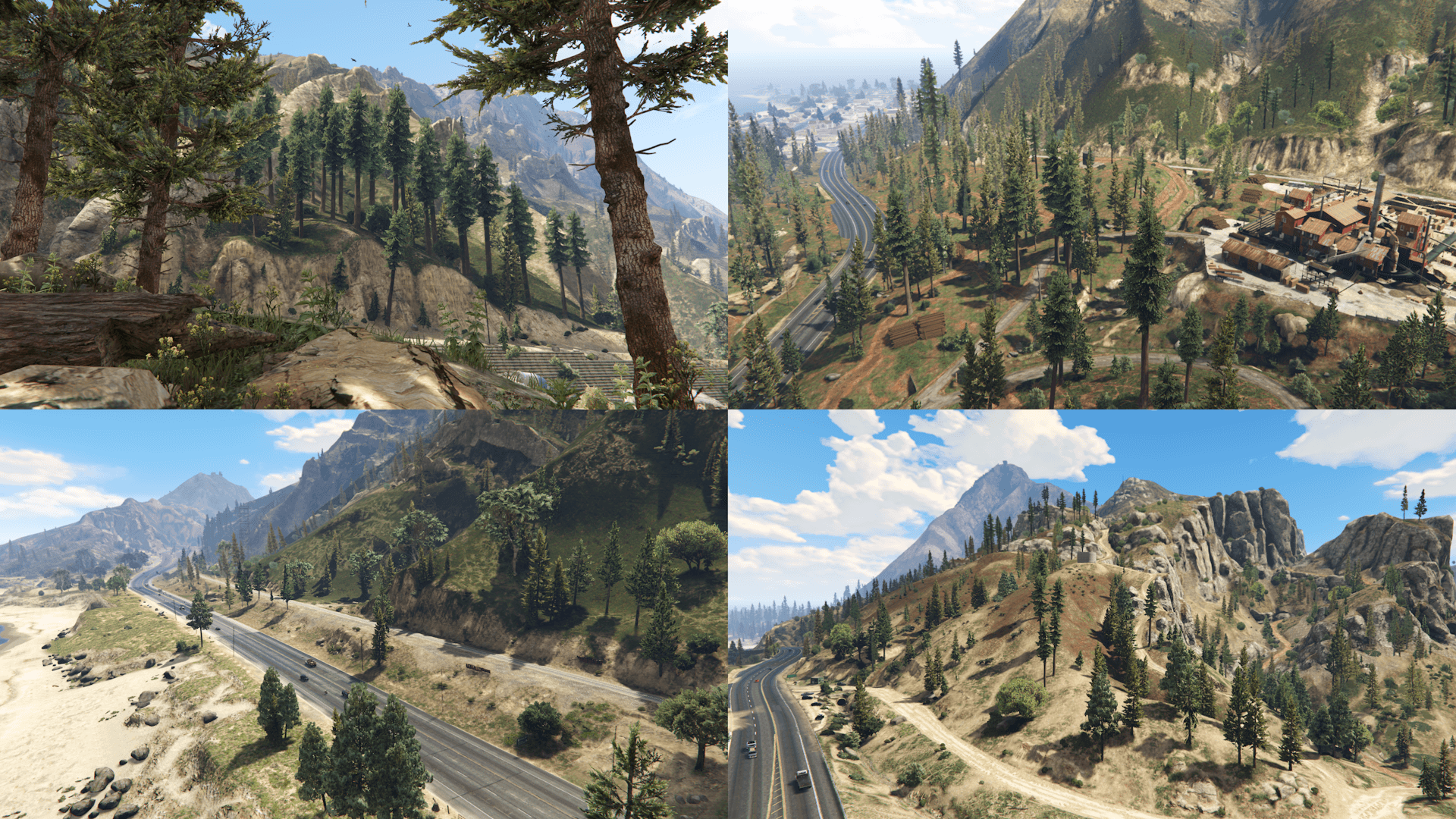
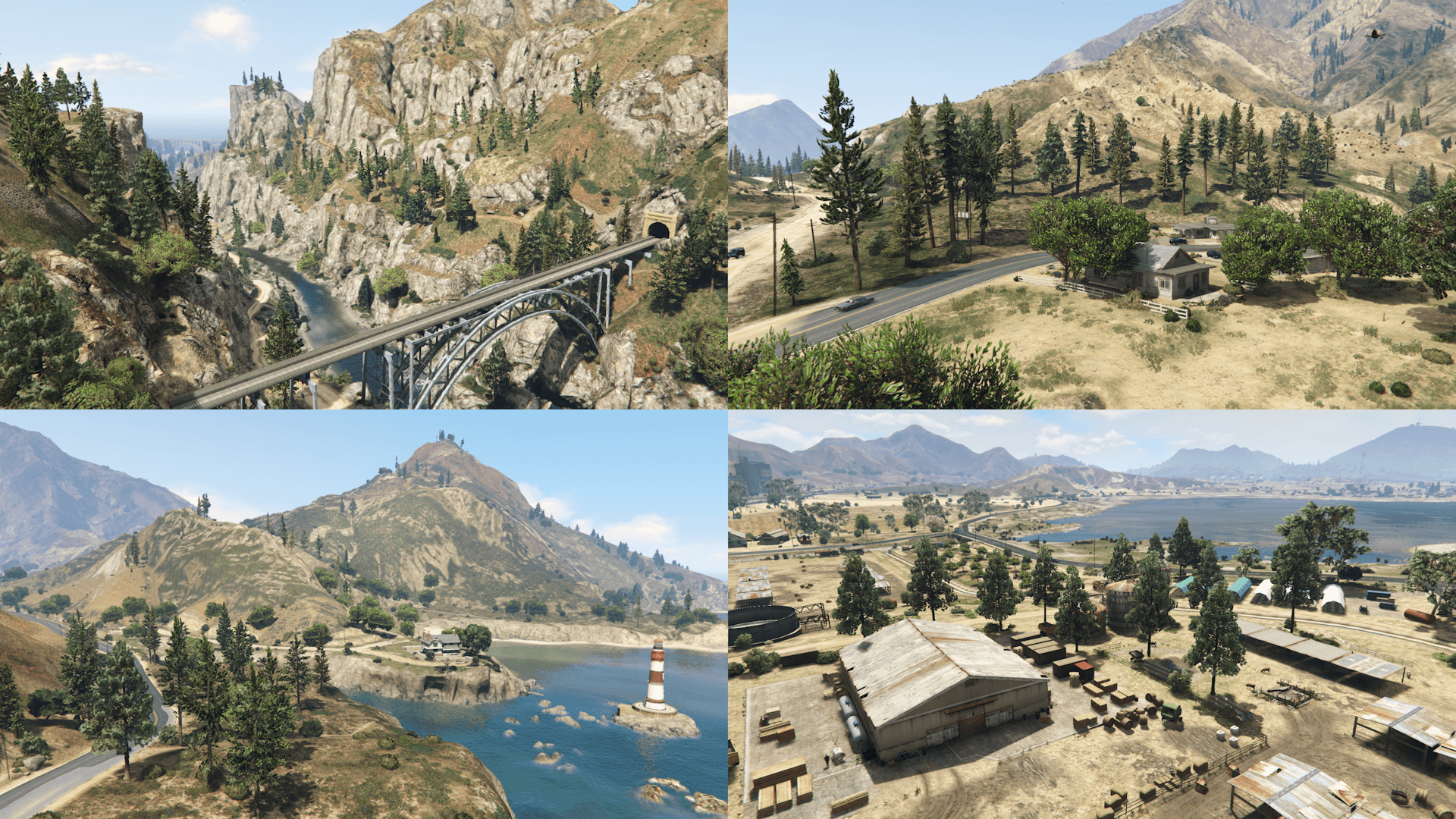
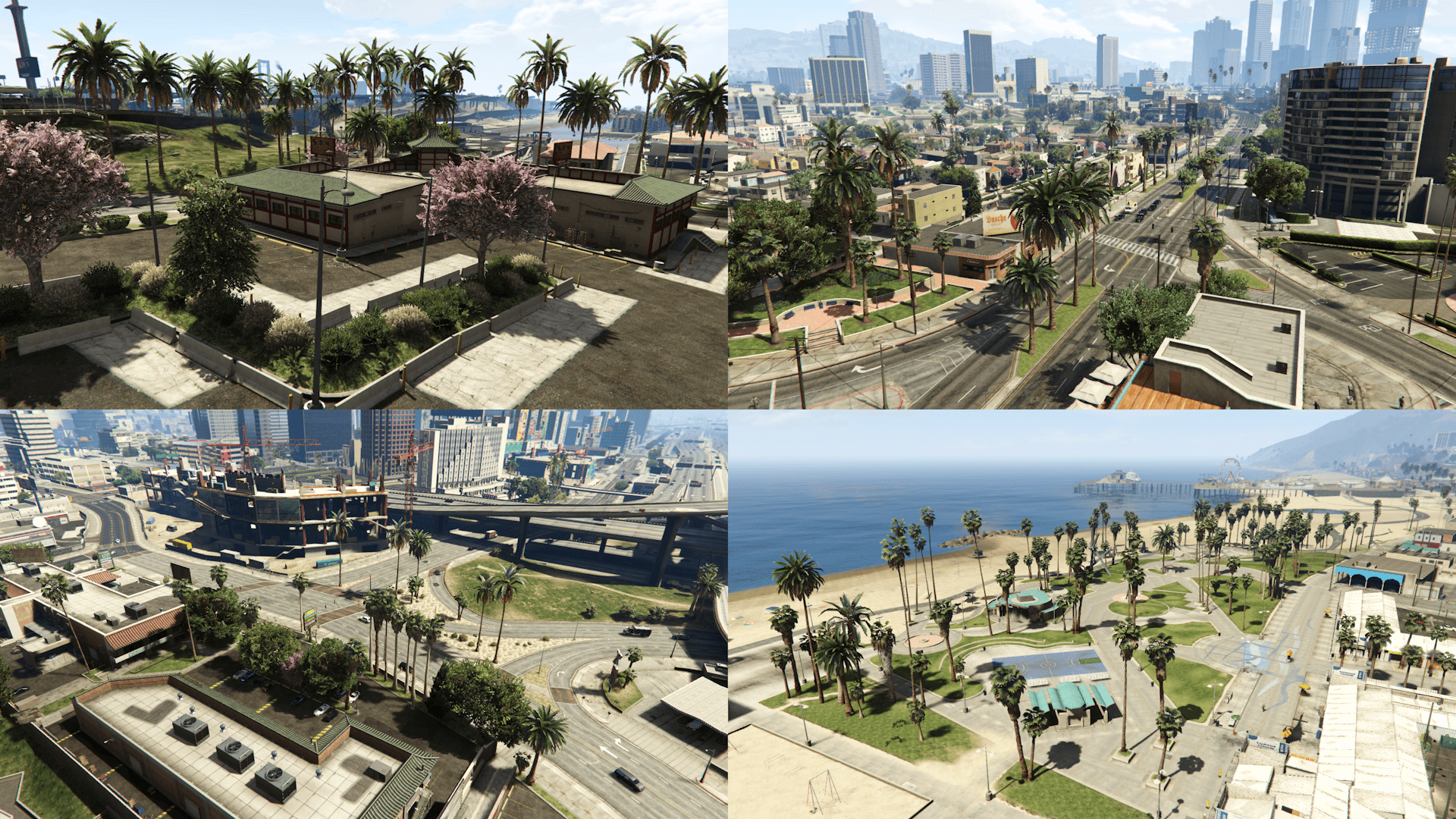
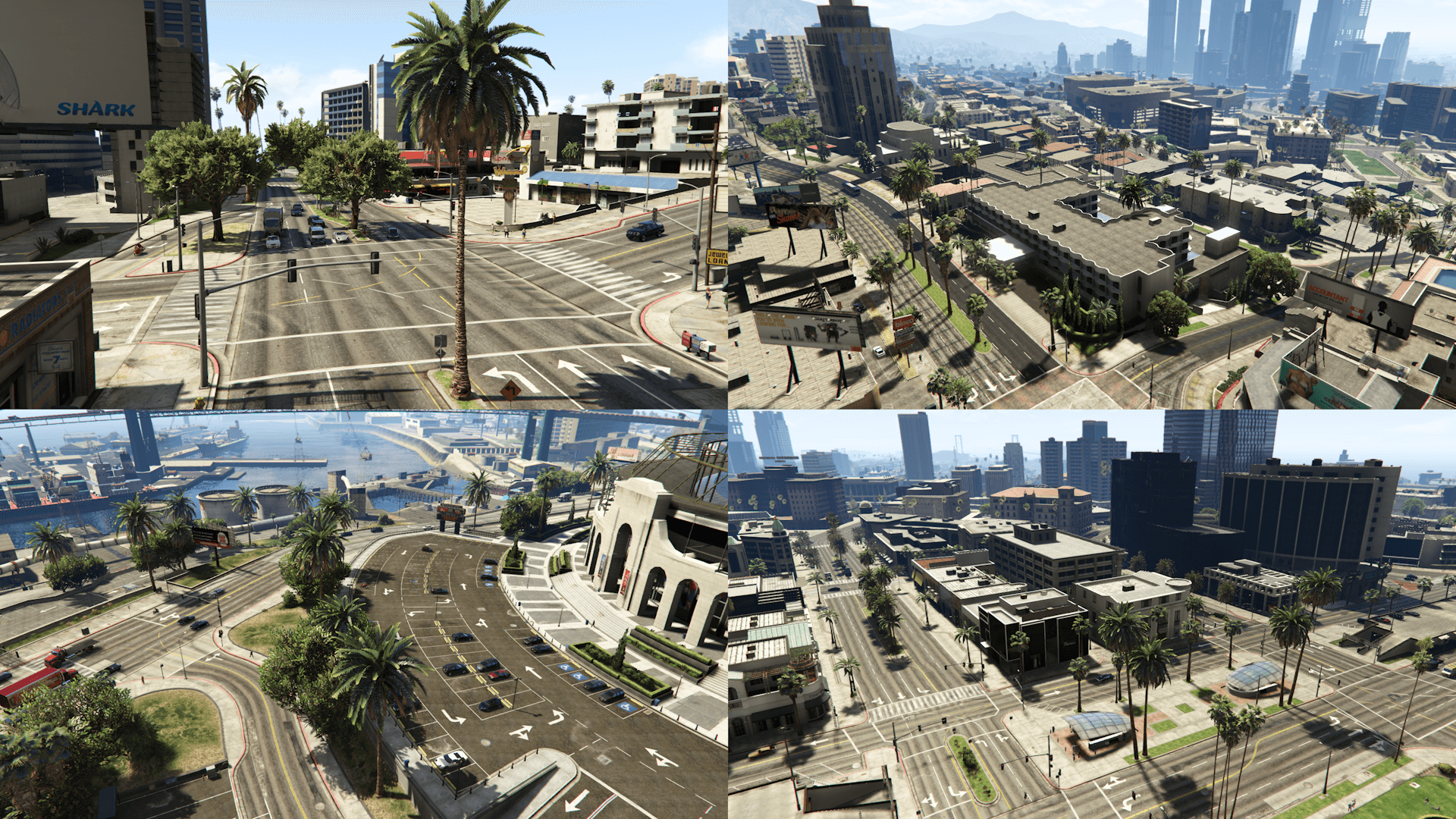
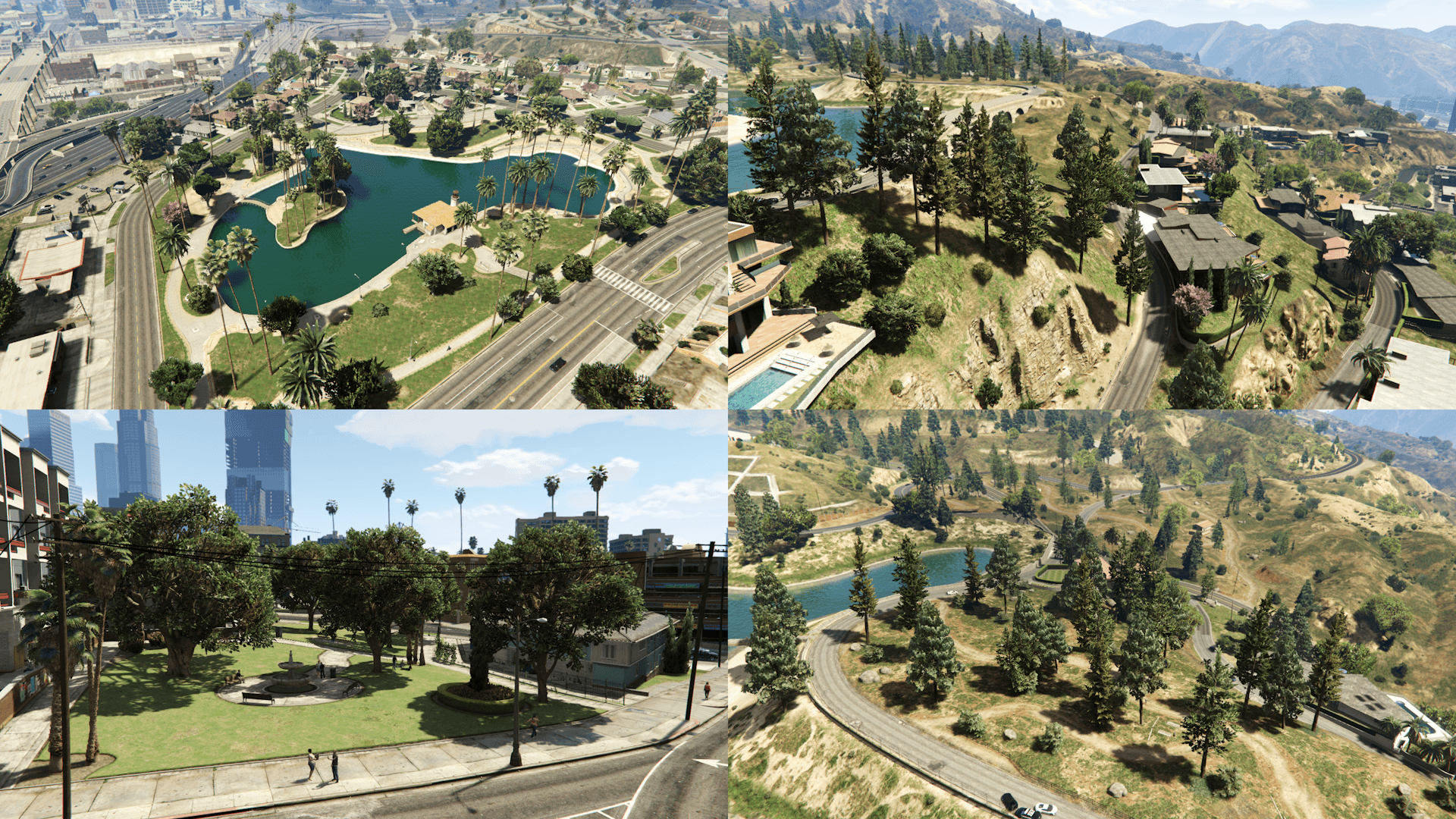
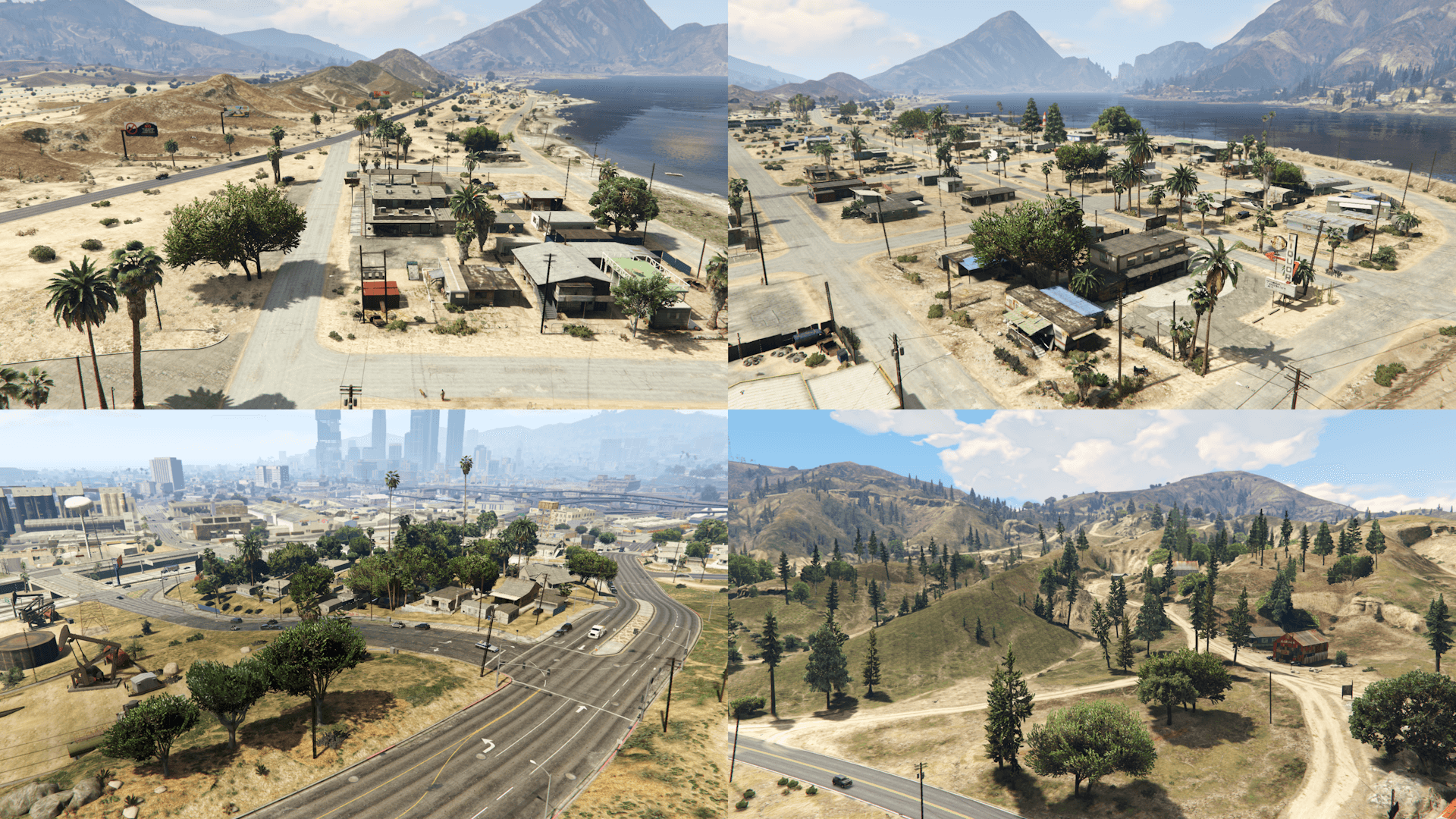
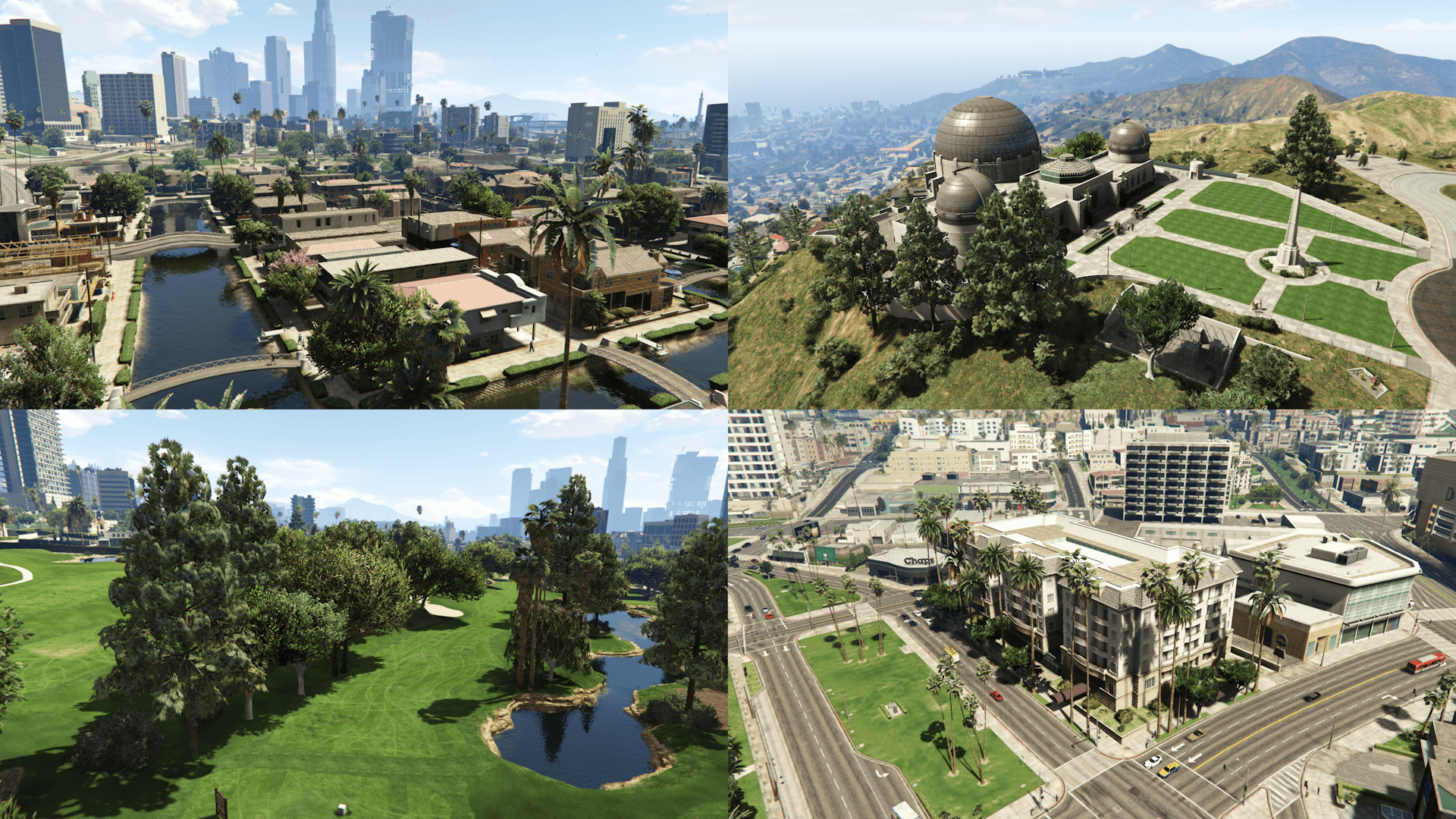
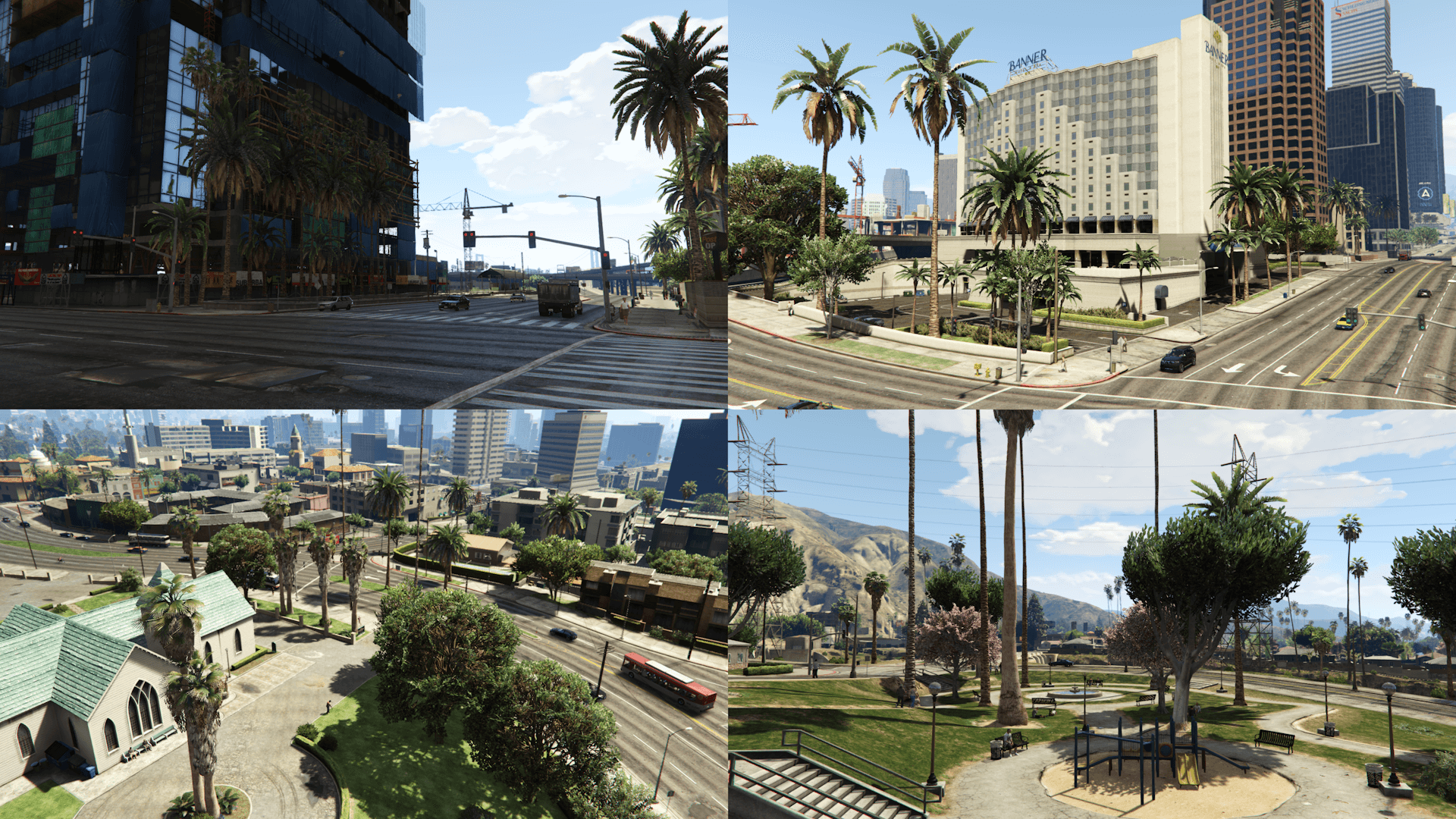
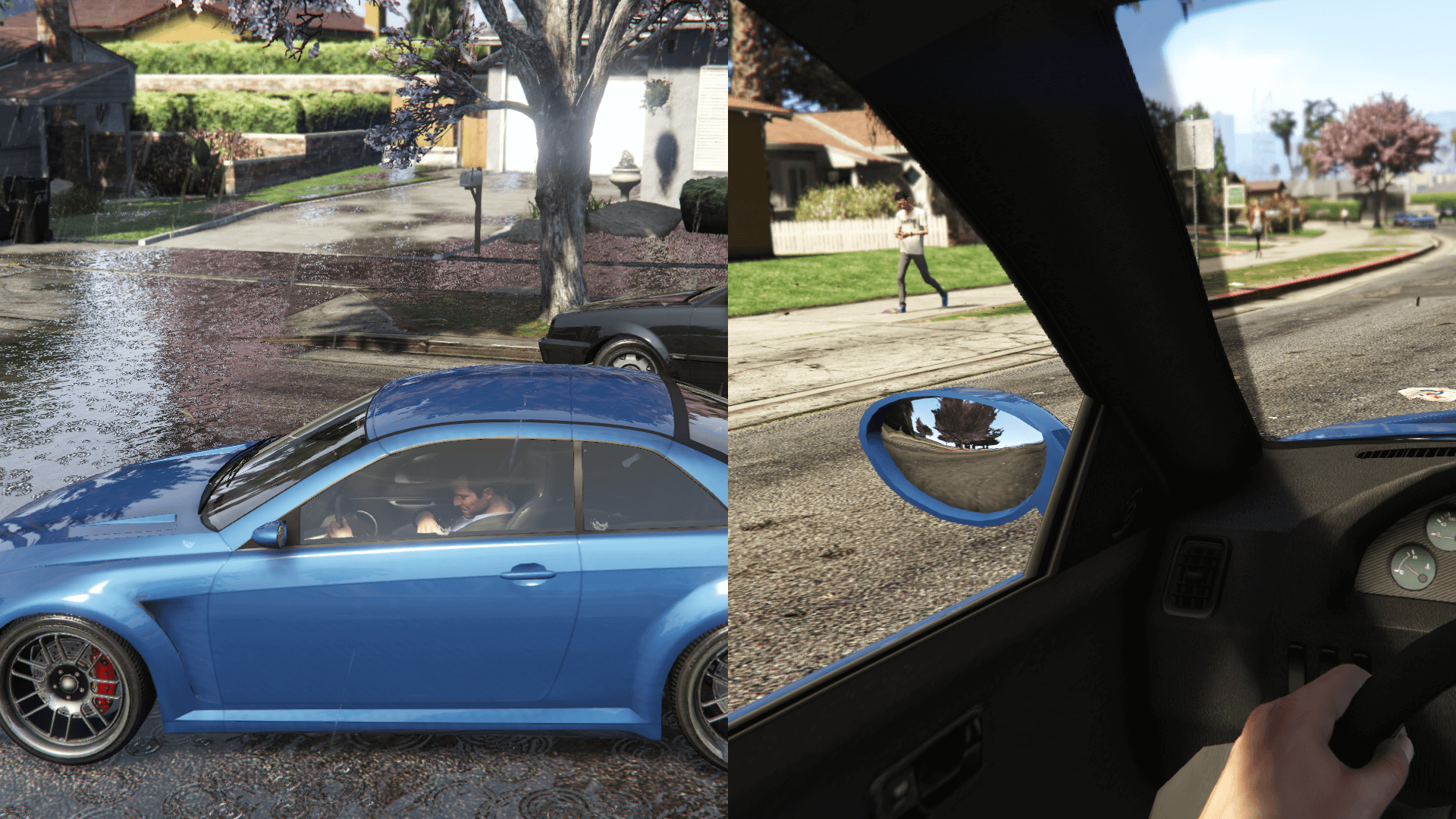
This mod restores, by modifying the existing assets and recreating them from scratch, props placements and also changes various map assets based on the beta version of the game, using promotional screens and trailers, in game tv shows and commercials, game files/textures and the missions thumbnails as reference
Map Assets changes:
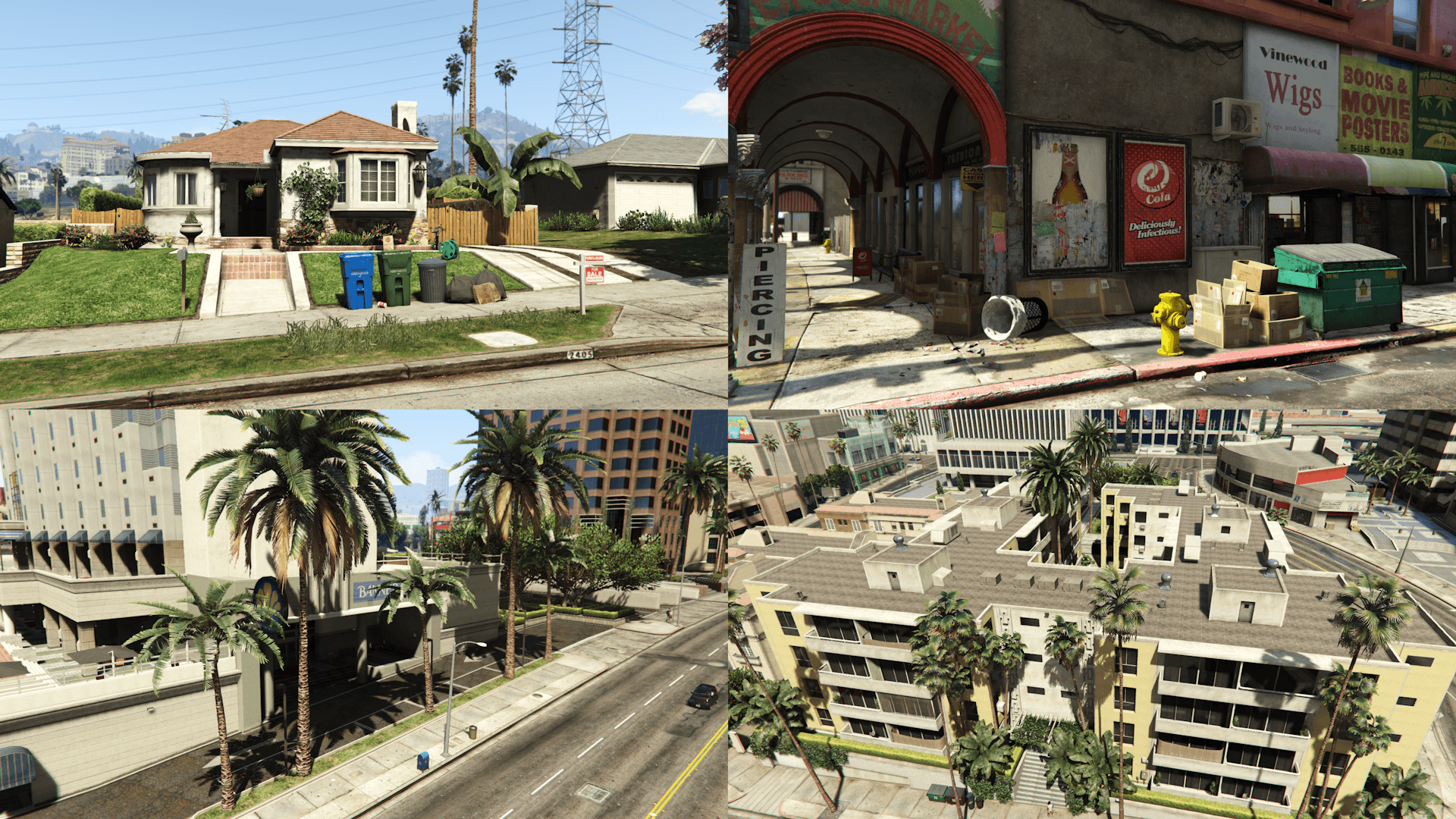
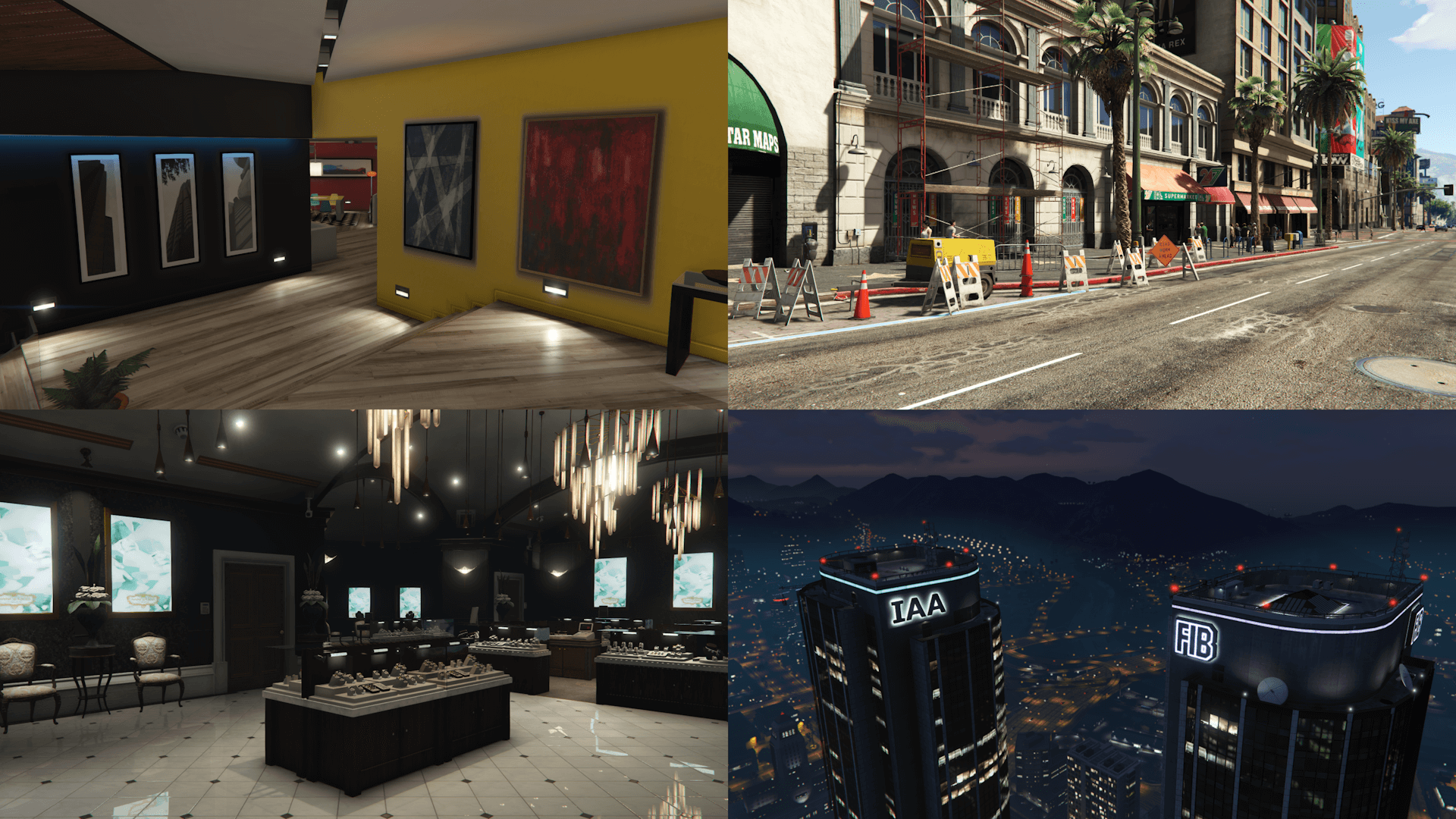
- Colored FIB and IAA buildings lights
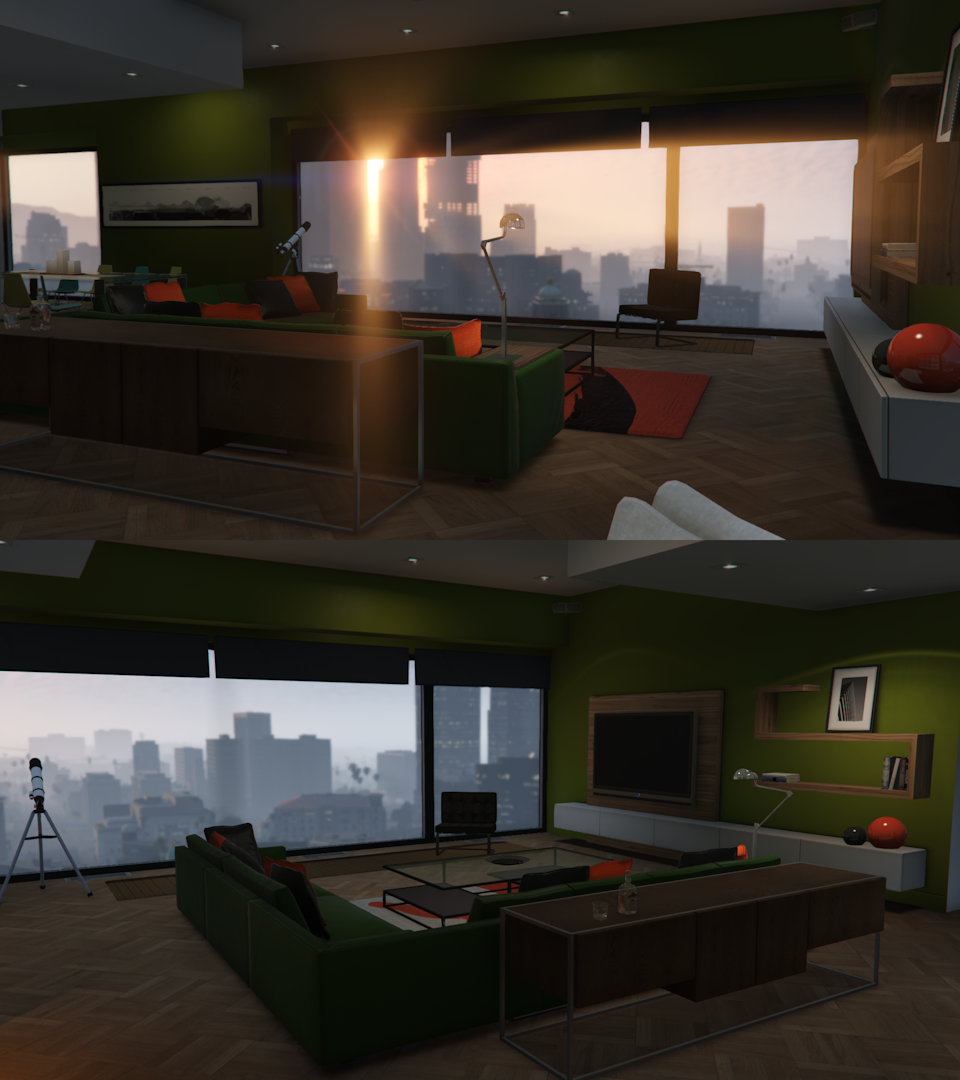
- Franklin's mansion interior
- Vangelico jewelry store interior
- Restored the "OPEN" neon sign at the front of the Liquor Ace
- Green Mirror Park lake
- 2405 house roof texture and color and restored "2405" sidewalk decal
- Red and green 24/7 canopy in Vinewood Boulevard
- Restored the Pisswasser and eCola posters on the Vespucci Market building
- Removed the hedge outside the Banner Hotel in Pillbox Hill
- Restored an emissive outside the 24/7 in Little Seoul
Map Placements locations:
- Alta
- Burton
- Grand Senora Desert
- Grapeseed
- Great Chaparral
- Hawick
- Kortz Center
- La Puerta
- Little Seoul
- Maze Bank Arena
- Mirror Park
- Morningwood
- Mount Chiliad
- Mount Gordo
- Pacific Bluffs
- Paleto Bay
- Paleto Forest
- Rockford Hills
- Richman
- GWC and Golfing Society
- Pillbox Hill
- Sandy Shores
- Del Perro
- Cypress Flats
- East, Downtown and West Vinewood
- Vinewood Hills
- Cassidy Creek
- Raton Canyon
- Chiliad Mountain State Wilderness
- South LS (Strawberry, Chamberlain Hills, Rancho)
- El Burro Heights
- La Mesa
- Palomino Highlands
- Vespucci, Vespucci Beach, Vespucci Canals
- San Chianski Mountains Range
- Palmer-Taylor Power Station
Requirements:
- Legacy: OpenIV.asi and fwBoxStreamerVariable Patch
- Enhanced: OpenRPF
Installation (Legacy):
- Move the "spbmr" folder in "mods\update\x64\dlcpacks" and add "<Item>dlcpacks:/spBMR/</Item>" to the "dlclist.xml"
- Optionals: installation instructions are included in the folder of each optional
Installation (Enhanced):
- Move the "spBMR_01_Gen9" and "spBMR_02_Gen9" folders in "mods\update\x64\dlcpacks" and add "<Item>dlcpacks:/spBMR_01_Gen9/</Item>" and "<Item>dlcpacks:/spBMR_02_Gen9/</Item>" to the "dlclist.xml"
- Optionals: installation instructions are included in the folder of each optional
Special Thanks:
- All the people that contributed to the GTA V Beta Hunt topic on GTAForums for all the findings
- dexyfex for Codewalker
- Skylumz for Sollumz
- The OpenIV Team for OpenIV
- 3Doomer for GIMS Evo
- Neos7 for the GTA V Map Helper
- Dekurwinator for info about flags and other map related stuff
- Stryfaar for the modified Mirror Park lake
- Larcius for the gta5-modding-utils script
- FIFASam for V Creator
Changelog:
v2.7:
- Added a version of the mod for the Enhanced edition: the placements and assets are split into two separate packs (spBMR_01_Gen9 and spBMR_02_Gen9) and the rotated Tinsel Tower apartment interior is an optional
- Updated the requirements and installation instructions
This mod restores, by modifying the existing assets and recreating them from scratch, props placements and also changes various map assets based on the beta version of the game, using promotional screens and trailers, in game tv shows and commercials, game files/textures and the missions thumbnails as reference
Map Assets changes:
- Colored FIB and IAA buildings lights
- Franklin's mansion interior
- Vangelico jewelry store interior
- Restored the "OPEN" neon sign at the front of the Liquor Ace
- Green Mirror Park lake
- 2405 house roof texture and color and restored "2405" sidewalk decal
- Red and green 24/7 canopy in Vinewood Boulevard
- Restored the Pisswasser and eCola posters on the Vespucci Market building
- Removed the hedge outside the Banner Hotel in Pillbox Hill
- Restored an emissive outside the 24/7 in Little Seoul
Map Placements locations:
- Alta
- Burton
- Grand Senora Desert
- Grapeseed
- Great Chaparral
- Hawick
- Kortz Center
- La Puerta
- Little Seoul
- Maze Bank Arena
- Mirror Park
- Morningwood
- Mount Chiliad
- Mount Gordo
- Pacific Bluffs
- Paleto Bay
- Paleto Forest
- Rockford Hills
- Richman
- GWC and Golfing Society
- Pillbox Hill
- Sandy Shores
- Del Perro
- Cypress Flats
- East, Downtown and West Vinewood
- Vinewood Hills
- Cassidy Creek
- Raton Canyon
- Chiliad Mountain State Wilderness
- South LS (Strawberry, Chamberlain Hills, Rancho)
- El Burro Heights
- La Mesa
- Palomino Highlands
- Vespucci, Vespucci Beach, Vespucci Canals
- San Chianski Mountains Range
- Palmer-Taylor Power Station
Requirements:
- Legacy: OpenIV.asi and fwBoxStreamerVariable Patch
- Enhanced: OpenRPF
Installation (Legacy):
- Move the "spbmr" folder in "mods\update\x64\dlcpacks" and add "<Item>dlcpacks:/spBMR/</Item>" to the "dlclist.xml"
- Optionals: installation instructions are included in the folder of each optional
Installation (Enhanced):
- Move the "spBMR_01_Gen9" and "spBMR_02_Gen9" folders in "mods\update\x64\dlcpacks" and add "<Item>dlcpacks:/spBMR_01_Gen9/</Item>" and "<Item>dlcpacks:/spBMR_02_Gen9/</Item>" to the "dlclist.xml"
- Optionals: installation instructions are included in the folder of each optional
Special Thanks:
- All the people that contributed to the GTA V Beta Hunt topic on GTAForums for all the findings
- dexyfex for Codewalker
- Skylumz for Sollumz
- The OpenIV Team for OpenIV
- 3Doomer for GIMS Evo
- Neos7 for the GTA V Map Helper
- Dekurwinator for info about flags and other map related stuff
- Stryfaar for the modified Mirror Park lake
- Larcius for the gta5-modding-utils script
- FIFASam for V Creator
Changelog:
v2.7:
- Added a version of the mod for the Enhanced edition: the placements and assets are split into two separate packs (spBMR_01_Gen9 and spBMR_02_Gen9) and the rotated Tinsel Tower apartment interior is an optional
- Updated the requirements and installation instructions
Tải lên lần đầu: 14 Tháng tám, 2017
Cập nhật lần cuối: 26 Tháng ba, 2025
Last Downloaded: 26 phút trước
869 Bình luận
More mods by Alex106:
Information:
This mod restores, by modifying the existing assets and recreating them from scratch, props placements and also changes various map assets based on the beta version of the game, using promotional screens and trailers, in game tv shows and commercials, game files/textures and the missions thumbnails as reference
Map Assets changes:
- Colored FIB and IAA buildings lights
- Franklin's mansion interior
- Vangelico jewelry store interior
- Restored the "OPEN" neon sign at the front of the Liquor Ace
- Green Mirror Park lake
- 2405 house roof texture and color and restored "2405" sidewalk decal
- Red and green 24/7 canopy in Vinewood Boulevard
- Restored the Pisswasser and eCola posters on the Vespucci Market building
- Removed the hedge outside the Banner Hotel in Pillbox Hill
- Restored an emissive outside the 24/7 in Little Seoul
Map Placements locations:
- Alta
- Burton
- Grand Senora Desert
- Grapeseed
- Great Chaparral
- Hawick
- Kortz Center
- La Puerta
- Little Seoul
- Maze Bank Arena
- Mirror Park
- Morningwood
- Mount Chiliad
- Mount Gordo
- Pacific Bluffs
- Paleto Bay
- Paleto Forest
- Rockford Hills
- Richman
- GWC and Golfing Society
- Pillbox Hill
- Sandy Shores
- Del Perro
- Cypress Flats
- East, Downtown and West Vinewood
- Vinewood Hills
- Cassidy Creek
- Raton Canyon
- Chiliad Mountain State Wilderness
- South LS (Strawberry, Chamberlain Hills, Rancho)
- El Burro Heights
- La Mesa
- Palomino Highlands
- Vespucci, Vespucci Beach, Vespucci Canals
- San Chianski Mountains Range
- Palmer-Taylor Power Station
Requirements:
- Legacy: OpenIV.asi and fwBoxStreamerVariable Patch
- Enhanced: OpenRPF
Installation (Legacy):
- Move the "spbmr" folder in "mods\update\x64\dlcpacks" and add "<Item>dlcpacks:/spBMR/</Item>" to the "dlclist.xml"
- Optionals: installation instructions are included in the folder of each optional
Installation (Enhanced):
- Move the "spBMR_01_Gen9" and "spBMR_02_Gen9" folders in "mods\update\x64\dlcpacks" and add "<Item>dlcpacks:/spBMR_01_Gen9/</Item>" and "<Item>dlcpacks:/spBMR_02_Gen9/</Item>" to the "dlclist.xml"
- Optionals: installation instructions are included in the folder of each optional
Special Thanks:
- All the people that contributed to the GTA V Beta Hunt topic on GTAForums for all the findings
- dexyfex for Codewalker
- Skylumz for Sollumz
- The OpenIV Team for OpenIV
- 3Doomer for GIMS Evo
- Neos7 for the GTA V Map Helper
- Dekurwinator for info about flags and other map related stuff
- Stryfaar for the modified Mirror Park lake
- Larcius for the gta5-modding-utils script
- FIFASam for V Creator
Changelog:
v2.7:
- Added a version of the mod for the Enhanced edition: the placements and assets are split into two separate packs (spBMR_01_Gen9 and spBMR_02_Gen9) and the rotated Tinsel Tower apartment interior is an optional
- Updated the requirements and installation instructions
This mod restores, by modifying the existing assets and recreating them from scratch, props placements and also changes various map assets based on the beta version of the game, using promotional screens and trailers, in game tv shows and commercials, game files/textures and the missions thumbnails as reference
Map Assets changes:
- Colored FIB and IAA buildings lights
- Franklin's mansion interior
- Vangelico jewelry store interior
- Restored the "OPEN" neon sign at the front of the Liquor Ace
- Green Mirror Park lake
- 2405 house roof texture and color and restored "2405" sidewalk decal
- Red and green 24/7 canopy in Vinewood Boulevard
- Restored the Pisswasser and eCola posters on the Vespucci Market building
- Removed the hedge outside the Banner Hotel in Pillbox Hill
- Restored an emissive outside the 24/7 in Little Seoul
Map Placements locations:
- Alta
- Burton
- Grand Senora Desert
- Grapeseed
- Great Chaparral
- Hawick
- Kortz Center
- La Puerta
- Little Seoul
- Maze Bank Arena
- Mirror Park
- Morningwood
- Mount Chiliad
- Mount Gordo
- Pacific Bluffs
- Paleto Bay
- Paleto Forest
- Rockford Hills
- Richman
- GWC and Golfing Society
- Pillbox Hill
- Sandy Shores
- Del Perro
- Cypress Flats
- East, Downtown and West Vinewood
- Vinewood Hills
- Cassidy Creek
- Raton Canyon
- Chiliad Mountain State Wilderness
- South LS (Strawberry, Chamberlain Hills, Rancho)
- El Burro Heights
- La Mesa
- Palomino Highlands
- Vespucci, Vespucci Beach, Vespucci Canals
- San Chianski Mountains Range
- Palmer-Taylor Power Station
Requirements:
- Legacy: OpenIV.asi and fwBoxStreamerVariable Patch
- Enhanced: OpenRPF
Installation (Legacy):
- Move the "spbmr" folder in "mods\update\x64\dlcpacks" and add "<Item>dlcpacks:/spBMR/</Item>" to the "dlclist.xml"
- Optionals: installation instructions are included in the folder of each optional
Installation (Enhanced):
- Move the "spBMR_01_Gen9" and "spBMR_02_Gen9" folders in "mods\update\x64\dlcpacks" and add "<Item>dlcpacks:/spBMR_01_Gen9/</Item>" and "<Item>dlcpacks:/spBMR_02_Gen9/</Item>" to the "dlclist.xml"
- Optionals: installation instructions are included in the folder of each optional
Special Thanks:
- All the people that contributed to the GTA V Beta Hunt topic on GTAForums for all the findings
- dexyfex for Codewalker
- Skylumz for Sollumz
- The OpenIV Team for OpenIV
- 3Doomer for GIMS Evo
- Neos7 for the GTA V Map Helper
- Dekurwinator for info about flags and other map related stuff
- Stryfaar for the modified Mirror Park lake
- Larcius for the gta5-modding-utils script
- FIFASam for V Creator
Changelog:
v2.7:
- Added a version of the mod for the Enhanced edition: the placements and assets are split into two separate packs (spBMR_01_Gen9 and spBMR_02_Gen9) and the rotated Tinsel Tower apartment interior is an optional
- Updated the requirements and installation instructions
Tải lên lần đầu: 14 Tháng tám, 2017
Cập nhật lần cuối: 26 Tháng ba, 2025
Last Downloaded: 26 phút trước
 5mods on Discord

@Jax765 Yeah, it's random. I also got the camera going either way too up, down left or right when looking at the ship and when looking at the Dinghy from above before Michaels jumps in the water
@Alex106 I play GTA 5 on a laptop with i7-8550U and 8 GB of RAM and a Intel UHD 620. Do You think this mod Will break My gameplay?
Is it compatible with GTA V Remastered: Enhanced and Forests of San Andreas: Revised ?
@SerGhost666 I think it could cause performance drops
@DuringLight No
@Alex106 https://youtu.be/81nf6JdSHkc?t=553
some palms seem to bug a bit during this cutscene
@MaxLuk I think it's an issue related to the streaming request list file, specifically trevor_1_int_srl.ymt, but i'm not sure how that stuff works
@Alex106 is this compatible with your other "fixes" and GTA V Remastered, ikON Projects?
@notveryimpfx It's compatible with my other mods.
With GTA V Remastered there's going to be clipping vegetation and maybe other props
As for ikON Projects, I don't know
@Alex106 thanks for the answer, I'll check it out!
Hey just wanna drop in to say that it's great you're still updating this mod! It's a lot of work and it looks really good and tasteful!
@Alex106
Is it me or what..? My game crash on loading into story mode on Enhanced version.
I get Trainer.asi error (trainer from sjaak).
@calvooo If you have too many mods installed then it might be because of the gameconfig
@Alex106
I dont think so.. only mods I have are: No intro, two replaced vehicles, Only story mode tab and Franklin house fix. And all of those mods replace existing files. Dont have any add-ons.
And of course original gameconfig, because there isnt any working right now.
@Alex106
I figured it out. It was setting in trainer.ini.. mpMap must be disabled if I want to use this mod.
But without this mod, enabling mpMap works.
Any idea?
@calvooo If I had to guess I'd say it's too many RPFs being loaded when enabling the MP map which, combined with the ones from the mod, causes the crash
@calvooo don't use original configs when you add stuff to the game, you quickly run into pool exhaustion.
@Alex106
I was able to find cause.
First, it was stock gameconfig. Second, I have to delete v_int_24.rpf from your mod, because it mess up franklins house if I use MPmap in trainer.
Now MPmap enabled and your mod works together.
@calvooo I'm unable to test it right now, but see if this modified content.xml helps https://pastebin.com/nyiCvqG1
Import the file in "mods\update\update.rpf\dlc_patch\mpsecurity" and use the original "spbmr_02_gen9" dlc pack
@Alex106
I tried and it worked. Thank you.
@calvooo Good to know, thanks